
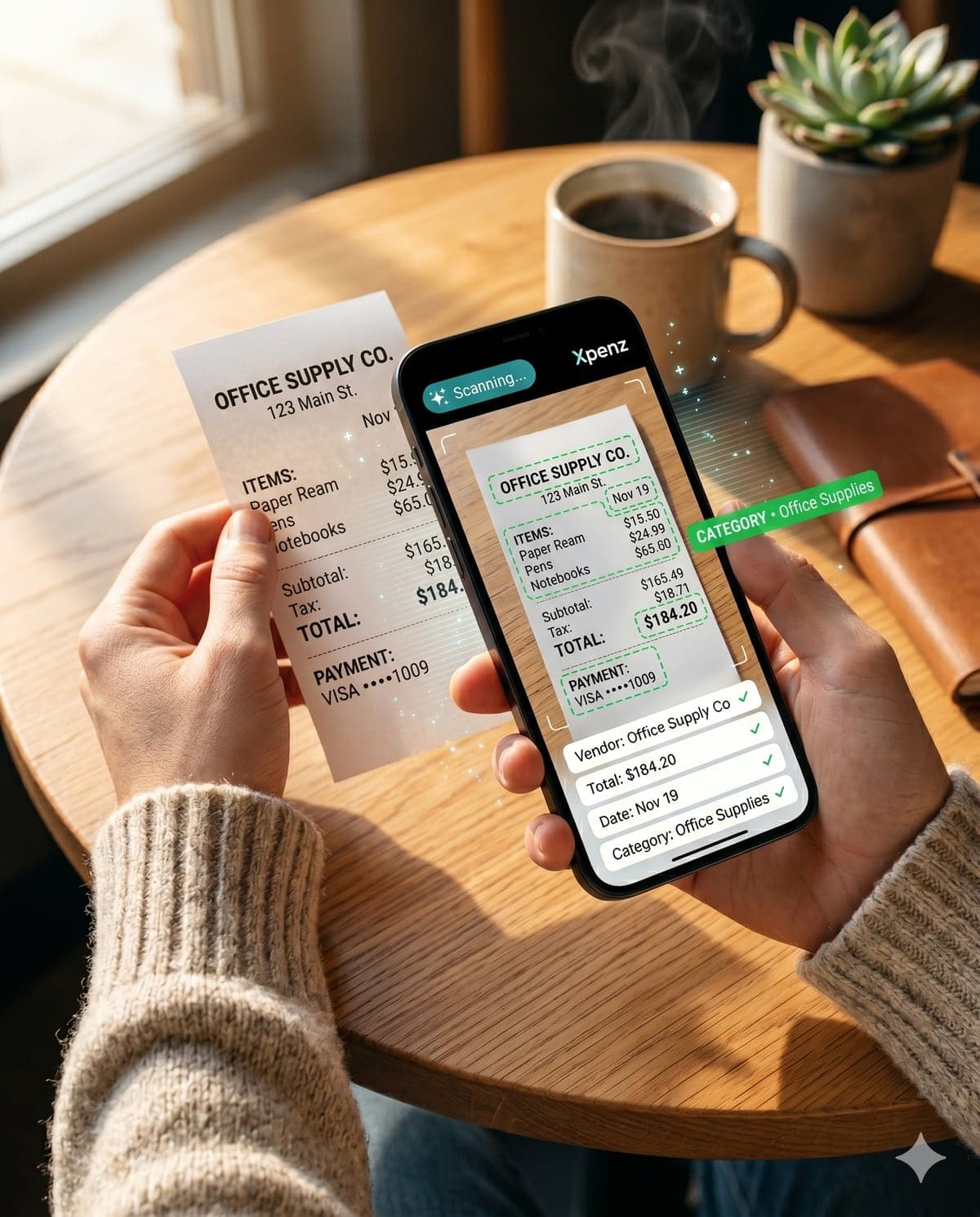
Snap a receipt.Done.
Track every business expense — by project, client, and tax category — in 3 seconds, from your phone. No more shoebox of receipts at tax time.
No credit card required · Cancel anytime · Your data stays yours
Snap. Tap. Done — in real time.
From phone to tax-ready in two steps.
Snap
Open the app, take a photo of the receipt. AI pulls the vendor, total, date, tax category, and even the last 4 of your card — automatically.
Tag
Everything is already filled in. You just confirm the project or client and tap save. 2 seconds, done.
Average user logs 47 expenses a month in under 2 minutes total.
(vs. ~3 hours wrestling QuickBooks at month-end)
You're already paying for this — just not in cash.
Every independent worker has the same three problems. Most just learned to live with them.
Shoebox at tax time
Faded paper receipts. Glove-box, junk-drawer, or that pile in your bag. April CPA bill that doubles because they have to sort it for you.
No clue which project is bleeding
You can see the bank balance, but not which of your projects or clients is eating the most. Until it's too late and the margin's gone.
1099s become a fire drill
January hits. Now you're scrolling Venmo, Zelle, and your card statements trying to remember everyone you paid more than $600.
Six tools that replace the shoebox.
Built around how independent professionals actually work — not how generic expense apps think you should.
AI receipt scan
Claude Vision pulls the vendor, total, date, tax category, and even your card's last 4 — straight off the photo. You snap, it types.
Per-project allocation
Tag every expense to a specific project or client. Finally know which work is making money before it wraps.
Pay-anyone ledger
Track every contractor, vendor, and freelancer you pay. 1099 season stops being a fire drill.
Schedule C categories
20+ IRS-mapped expense buckets. Contract labor, supplies, software, travel, vehicle — already filed for you.
Payment-method audit trail
Log credit card last-4, check number, Zelle reference, or wire. Audit-ready without lifting a finger.
CSV export for your CPA
One click, one file, everything they need. Hand off your books in seconds, not an afternoon.
Generic expense apps weren't built for the way you work.
QuickBooks is built for accountants. Expensify is built for office workers expensing lunches. Neither one understands what it means to run multiple projects or clients, pay people in mixed methods, and need every expense pinned to the right bucket for tax day.
Xpenz starts wherever you are — phone in hand, receipt in hand, work to get back to — and quietly produces clean books.
- Snap as it happens, tag to a project in two taps
- 1099 totals per contractor, ready before January
- Profit-per-project view, not just per-month
- Your CPA gets one clean CSV, not 14 emails
Free for 30 days. Then less than your monthly coffee.
No credit card to start. No auto-charge surprise. Cancel any time and your data stays exportable.
Limited free tier — 45 scans/month, 90-day history
- 15 receipt scans / month
- Unlimited manual entries
- Project & contractor tracking
- CSV export
Unlimited scans and full history
- Unlimited AI receipt scans
- All Schedule C categories
- Contractor + 1099 tracking
- Payment-method audit trail
- Priority support
No credit card required during your 30-day trial.
Per-seat business plan
- Everything in Pro, per user
- Multi-user team access
- Bookkeeper / CPA seat
- Centralized project oversight
- Priority support
Straight answers.
No. You sign up with email, get 30 days of Pro for free, and we only ask for a card if you choose to keep going after that.
Stop losing receipts.
Start running your business like a CFO.
30 days of Pro, on the house. No credit card. Your tax season gets quieter starting the day you sign up.
Takes about 30 seconds. Snap your first receipt before the kettle boils.